Plock is a Plone Installer for the Pip-Loving Crowd.
I blogged about Plock after 0.0.1 was released and a lot of progress has been made since then, so I thought I'd give an update. But rather than a traditional list-the-changelog-style-blog-entry, I thought I'd walk you through what you can do with Plock as of version 0.1.2.
Install Plone
Plock exists to the eliminate cognitive dissonance experienced by Python programmers who want to install Plone but don't want to think about installing Plone. Such folks can now type the following to install Plone 4.3 (inside an activated virtualenv of course):
$ pip install plock
$ plock
Installing Plone. This may take a while.......(3)....(4)....(4)....(4)....(5)....(5)....(9)....(14)....(21)....(24)....(29)....(33)....
(38)....(43)....(48)....(54)....(58)....(62)....(66)....(71)....(74)....(78)....(78)....(83)....(87)....(89)....(92)....(97)....(98)....
(98)....(98)....(98)....(98)....(100)....(102)....(103)....(108)....(110)....(113)....(115)....(120)....(123)....(128)....(133)....(138)....
(142)....(148)....(153)....(158)....(161)....(163)....(168)....(171)....(175)....(179)....(181)....(184)....(189)....(193)....(195)....(198)....
(203)....(205)....(210)....(214)....(221)....(224)....(228)....(234). done.
Run Plone
With Plock, you can truly run Plone because you are not running scripts with any of the following not-plone names: client, instance, zope.
$ plone fg
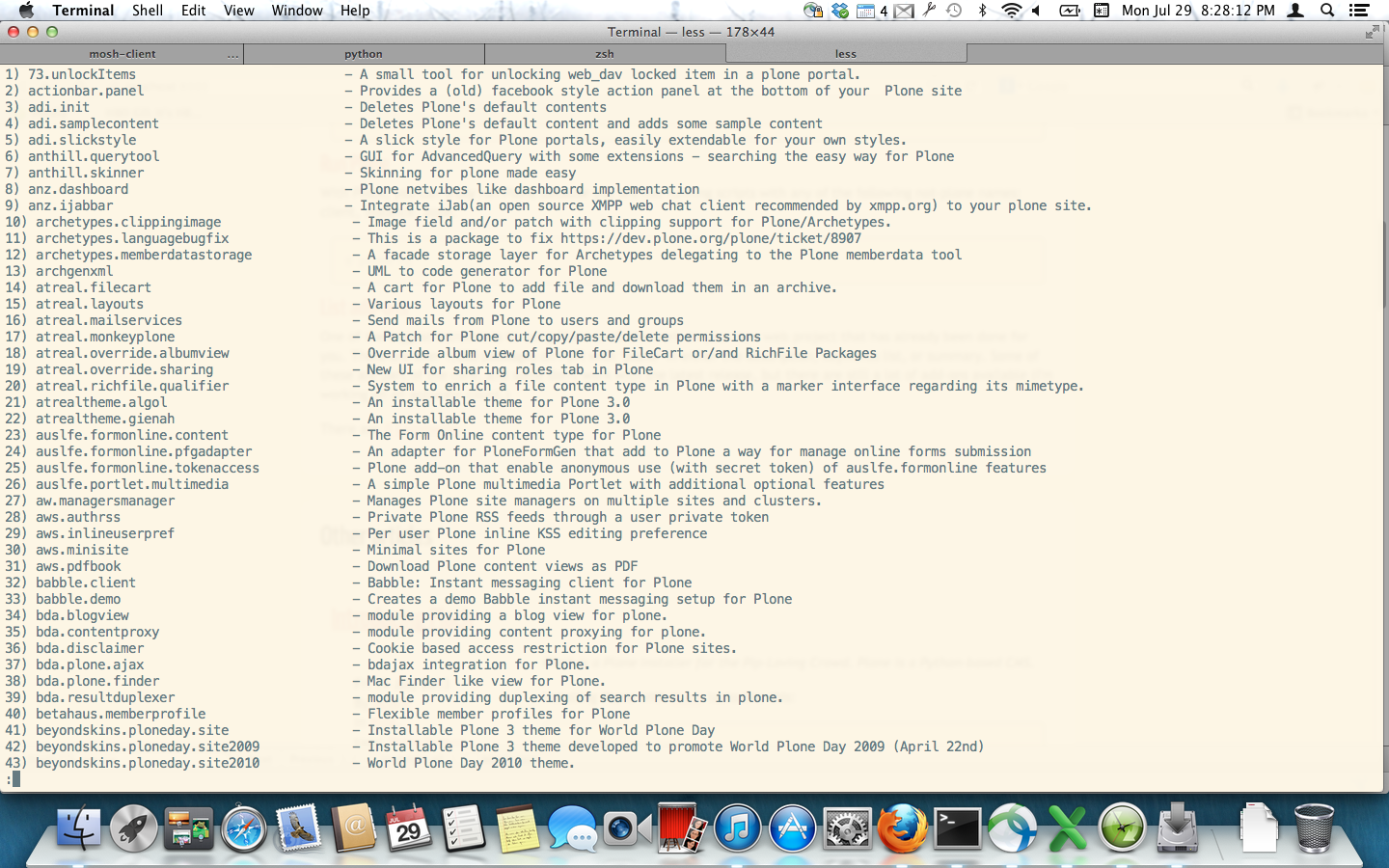
List add-ons
One of the biggest attractions to using Plone is all the work on your new web project that has already been done for you. There are over 1,200 packages on PyPI with "plone" in either the description, keywords list, or summary. Some of these are part of the core, and some don't work with the latest release, but there are still a lot of add-ons available (I'm currently working on an accurate count.)
$ plock -l
Install add-ons
With Plock, installing add-ons is done from the command line. Pick a Python package name and install-away:
$ plock -i Products.PloneFormGen
Installing Plone. This may take a while... done.
Or pick two or more:
$ plock -i Products.PloneFormGen collective.cover
Installing Plone. This may take a while... done.
(If you have already installed an add-on with Plock, you can preserve the currently installed list with -p. Otherwise, the add-ons installed are replaced with each new call to -i.)
If you pick a bad one, Plock has your back:
$ plock -i foo
Installing Plone. This may take a while... error!
In the above scenario, Plock restored your previous configuration before reporting the error and exiting.
All the rest
For more details, please see:
Issues
If you use Plock and have an issue, please report it here: